 Español
 English
 Português
- Home
- APP services
APP services: manage your field technicians from the phone
Work orders on the phone, checklists with photos, customer signature and the GPS position of every action, connected to the Vigilo platform you already use.
VIGILO Service: your field services, under control from the phone
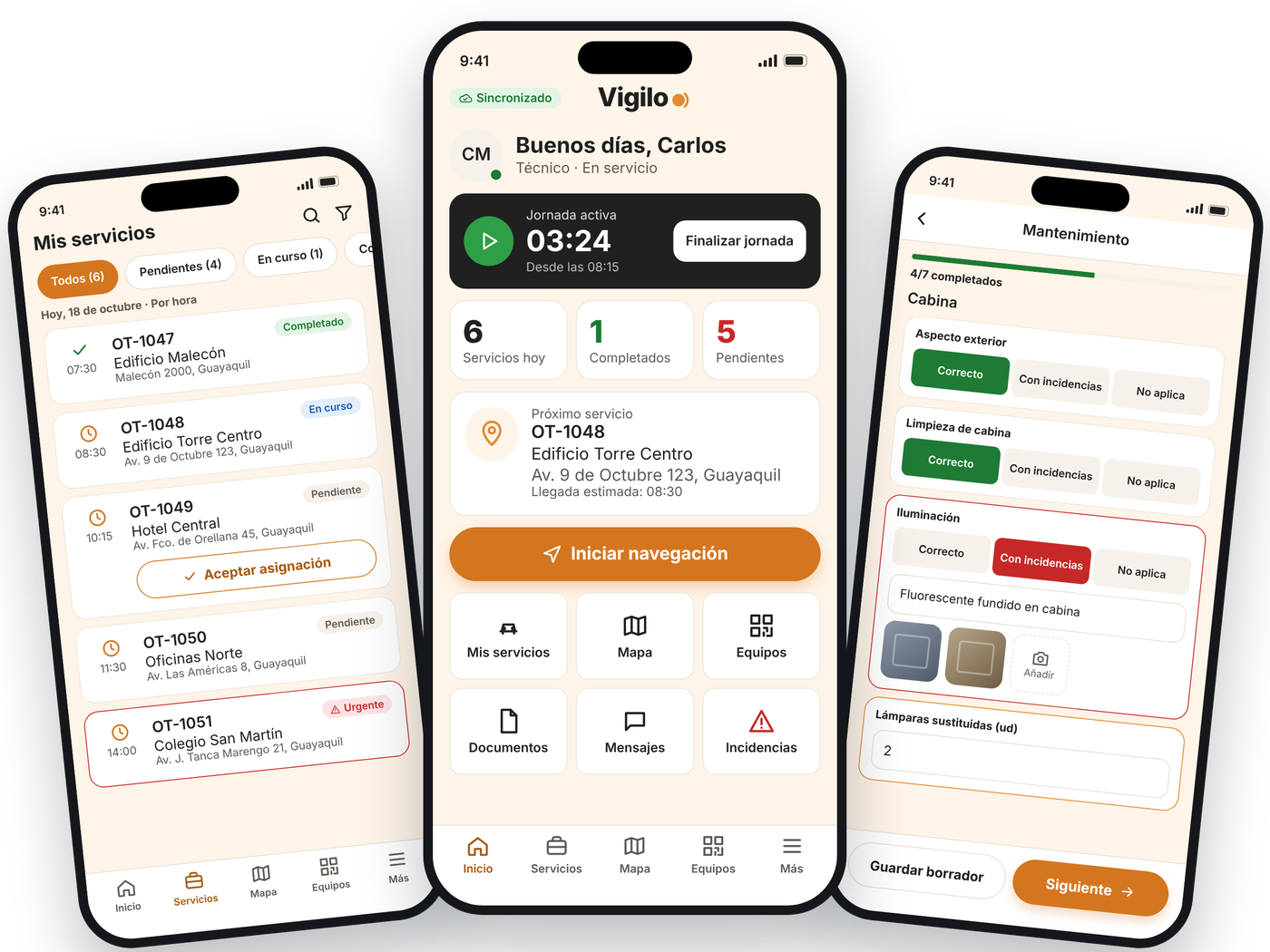
Your technicians receive work orders on their phone, are guided to each customer, identify equipment by QR or NFC, complete the checklist with photos and collect the customer’s signature. You see everything on the Vigilo platform, with the GPS position of every action.
- Preventive and corrective maintenance and inspections
- Report with the customer’s signature at the end of each job
- Keeps working without signal and syncs automatically
- Android and iOSFor each technician’s phone
- Works without signalBasements, plant rooms, rural areas
- 5 languagesSpanish, English, French, Portuguese and Italian
- Connected to VigiloSame user, same platform
Everything the technician needs, in one app
- 01
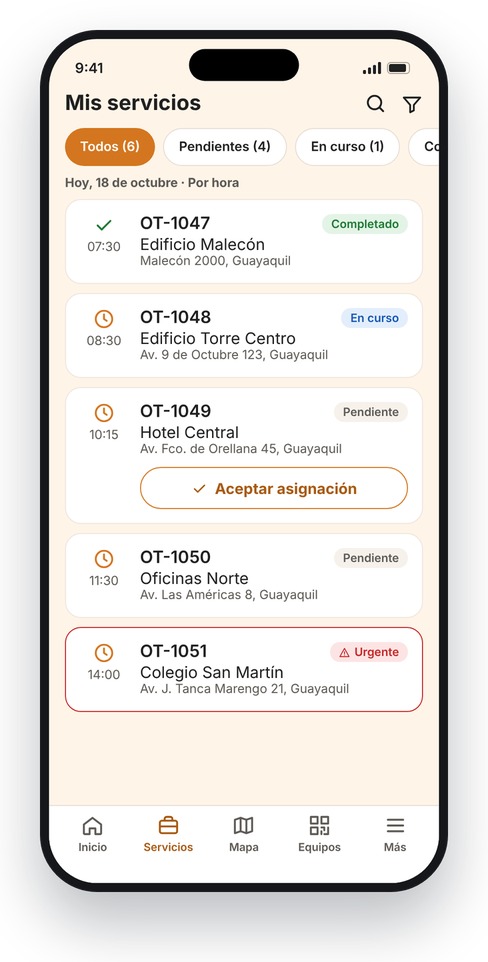
Today’s jobs, in order
Orders by time or priority, with urgent ones highlighted. The technician accepts the assignment with one tap.
- 02
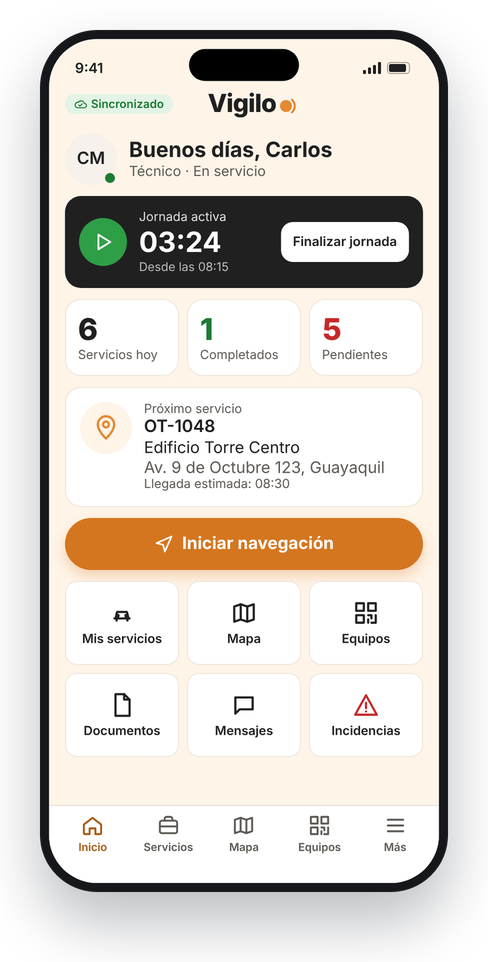
Shift and navigation
Start and end of shift, next job with estimated arrival time and direct navigation to the customer.
- 03
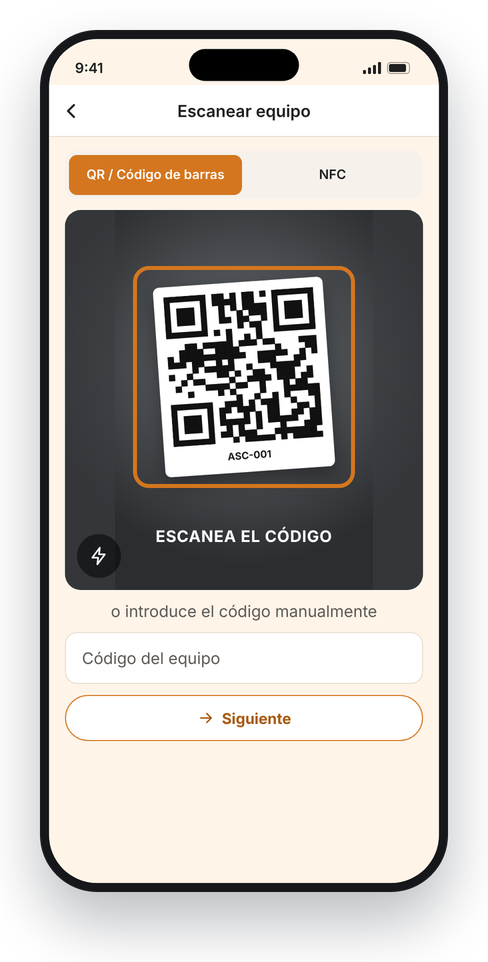
Equipment by QR or NFC
Scan the tag and open the equipment record with its history and documents. It checks that it belongs to your company.
- 04
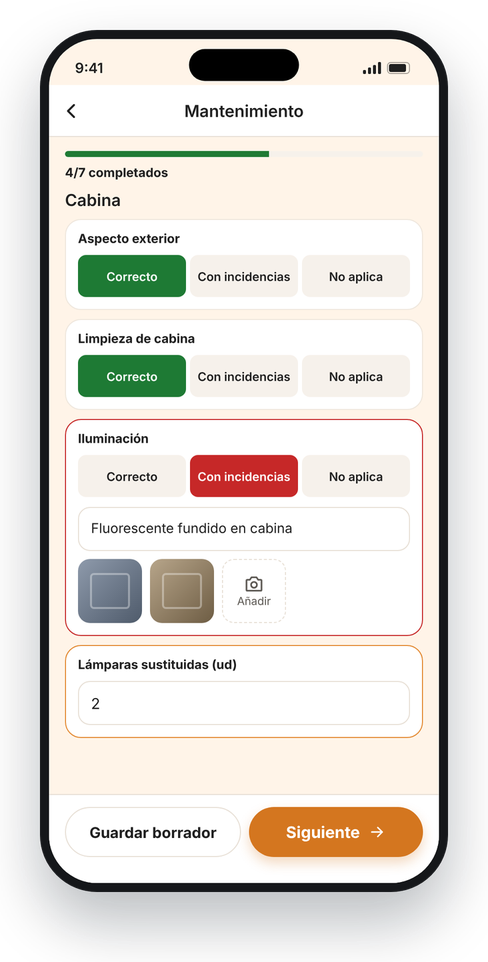
Checklists with photos
Templates defined by your company. If there is an issue, a photo or a note is mandatory.
- 05
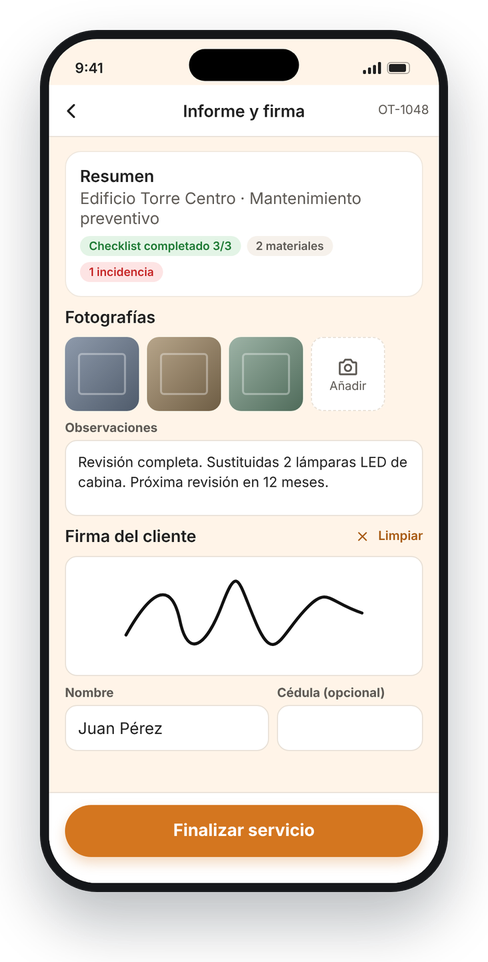
Report and customer signature
Photos, materials used, notes and on-screen signature. The PDF report is available on the platform.
- 06
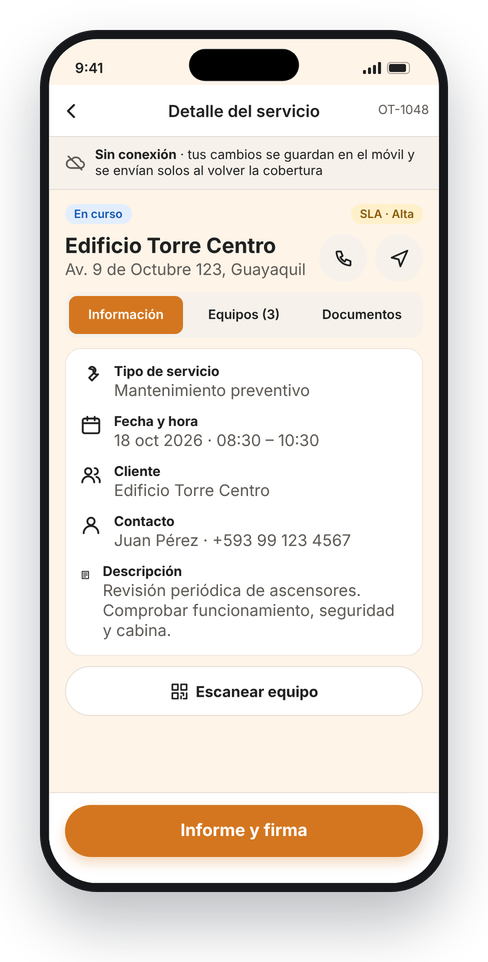
Works without signal
Everything is stored on the phone and sent automatically when the connection returns, with no duplicates or lost data.
Every action, with its time and position
The app records the GPS position of each step the technician takes: arrival, equipment scan, checklist, signature and closing. You verify the job on the map before closing it.
- Arrival checked within the customer’s geofence
- Time, accuracy and position of each event
- Detection of spoofed locations
- The technician is notified first; only while the app is open
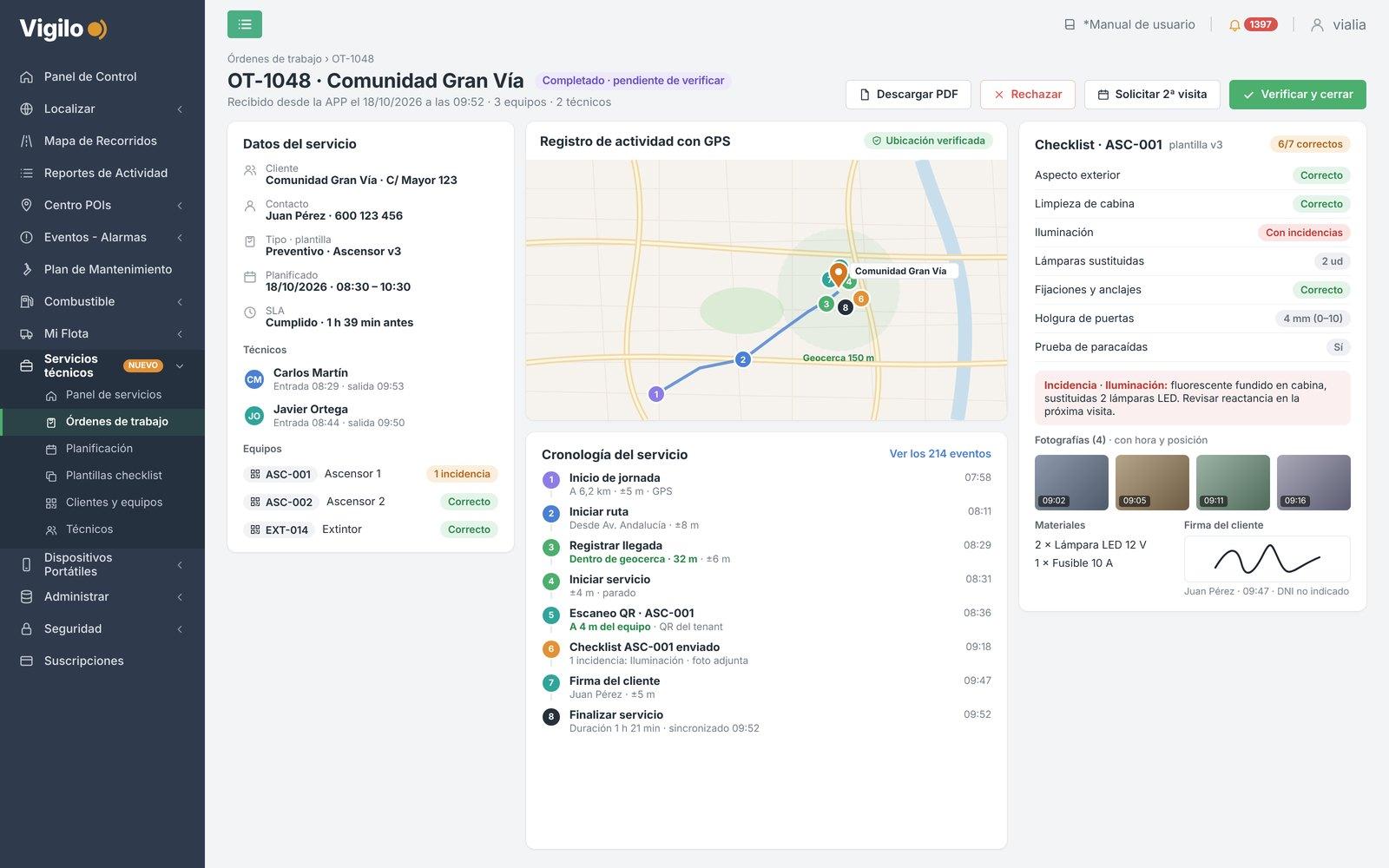
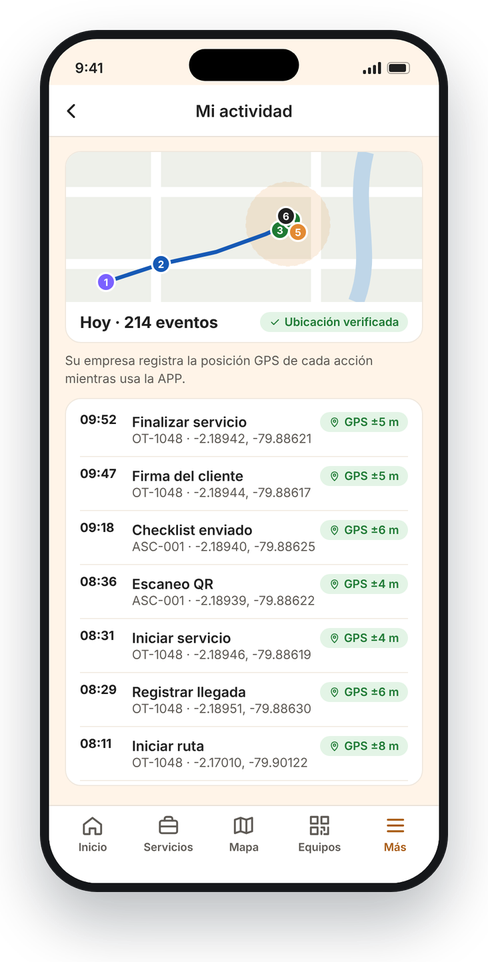
You create, plan and verify. The technician does the job.
A new Services/Maintenance module in the platform you already use: orders reach each technician’s app instantly.
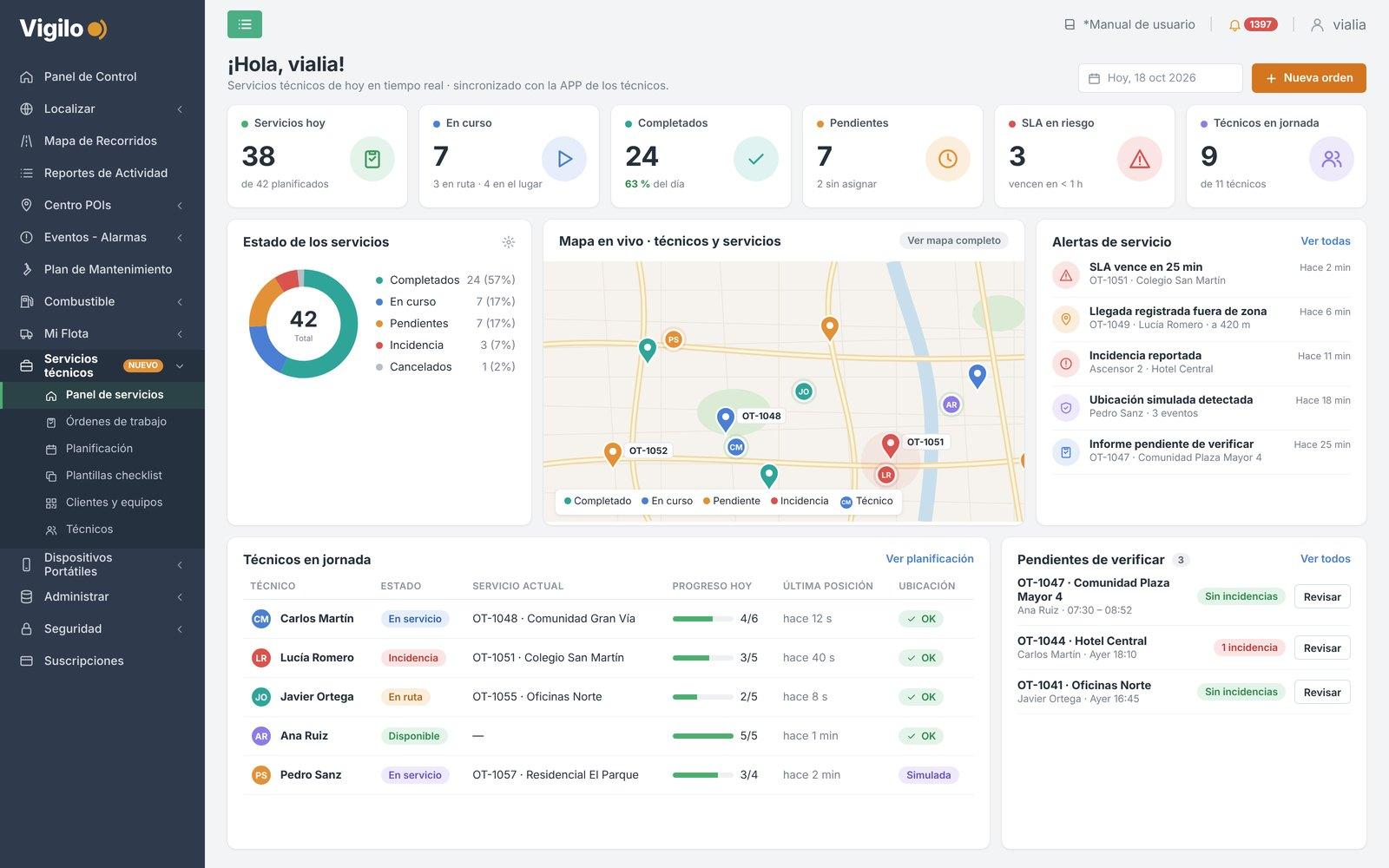
Real-time services dashboard
Today’s jobs, technicians on the map, SLAs at risk and issues, as they happen.
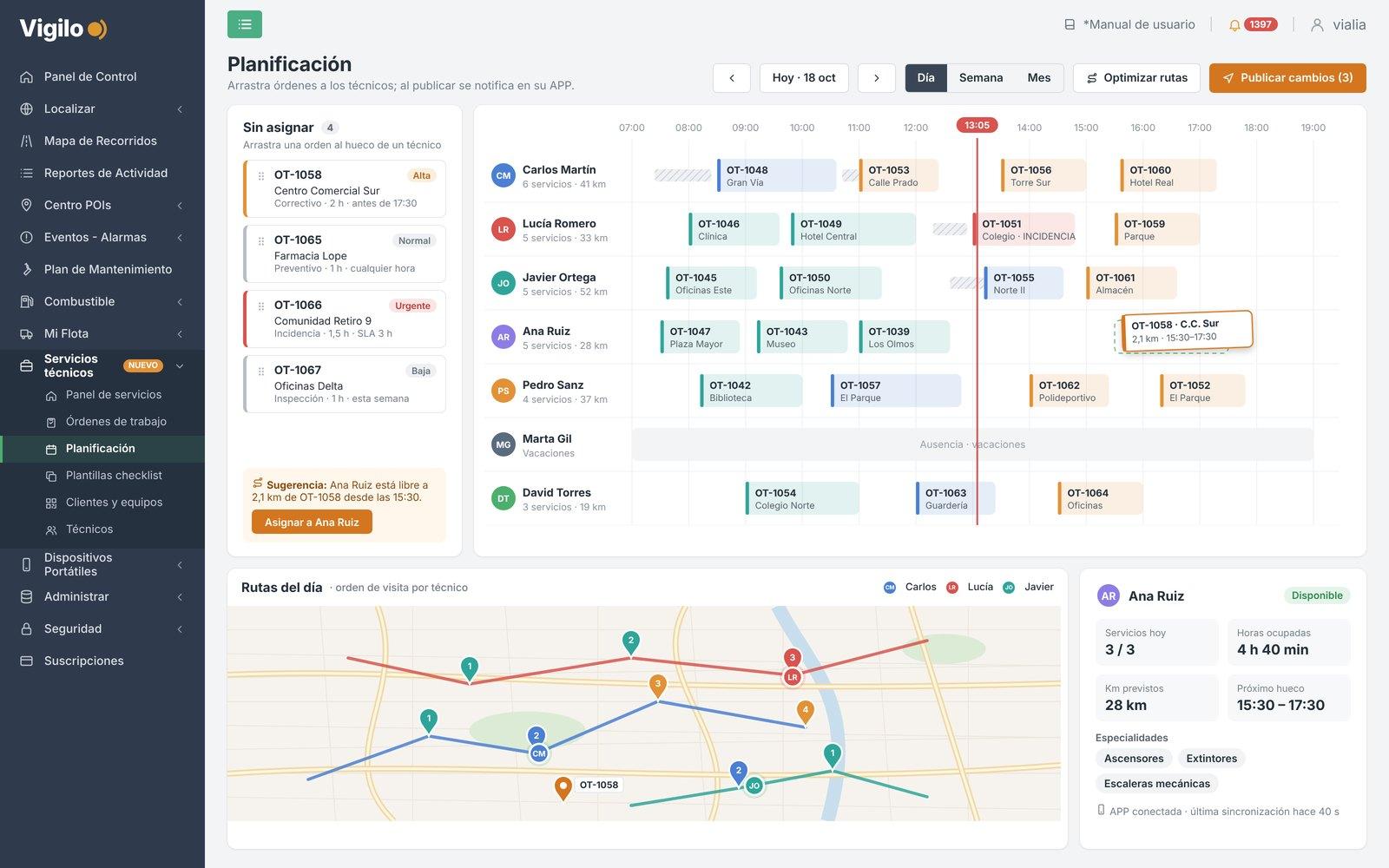
Planning and assignment
Drag orders to each technician, see their routes for the day and publish the changes to their app.
How it works
- You create the orderFrom the Vigilo platform, with the customer, the equipment and the checklist.
- Assign it to a technicianDrag the order to the technician: it reaches their app instantly.
- The technician does the jobArrives guided, scans the equipment, completes the checklist and collects the signature.
- You verify and closeReview the report, the photos and the GPS route before closing the job.
Frequently asked questions
Which phones does it work on?
Android and iOS. Each technician installs it on their own phone.
What if the technician has no signal?
Everything is stored on the phone and sent automatically when the connection returns, with no duplicates or lost data.
Do I need another platform?
No. VIGILO Service connects to the Vigilo platform you already use, with the same user: that’s where you create, plan and verify jobs.
How do I know the technician was at the customer’s site?
The app records the time, accuracy and GPS position of each action and checks the arrival within the customer’s geofence. It also detects spoofed locations.
Does the app track the technician all day?
No. It only records the position while the app is open, and the technician is notified first.
When will it be on Google Play and the App Store?
Very soon. In the meantime, request a demo and we will show you the app and the services module.