Español
 English
 Português
- Home
- APP tracker
APP tracker: phone location with an SOS button
See on the map where your team’s or family’s phones are and get an alert as soon as someone presses SOS. Free for the first 12 months.
Turn any phone into a GPS tracker
With the VIGILO GPS APP, see on the map where every phone on your team is and get an alert as soon as someone presses the SOS button.
- Real-time tracking of up to 10 phones
- SOS button with an instant alert and the user's location
- Very easy to use: just START / STOP TRACKING and SOS
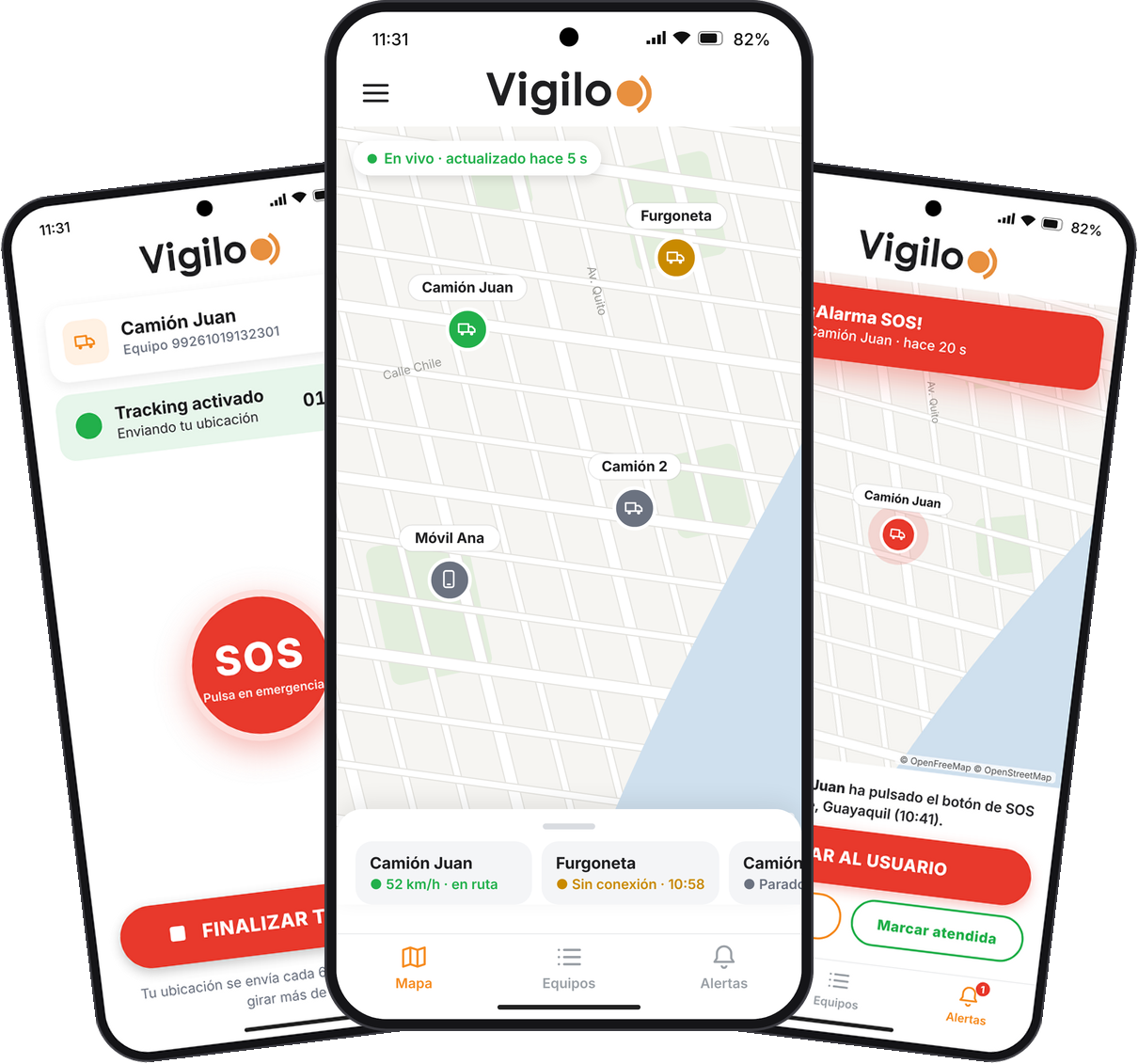
Everything you can do with the APP
Designed so anyone can use it without training: the account holder is in control, the user just presses a button.
Real-time tracking
See the latest position of every phone on the map, updated every few seconds.
SOS button
With a single tap the user sends an alarm with their exact location.
SOS notification
“User XXX has pressed the SOS button” alert, with buttons to call them or get directions.
Up to 10 phones
Register your devices with a name: truck, van, car, motorbike or phone.
No signal, nothing lost
Positions are stored on the phone and sent when the signal returns. Works with the screen locked.
Privacy and 5 languages
Only the latest position is shown, with no trip history. In Spanish, English, French, Portuguese and Italian.
Simple for the user, complete for you
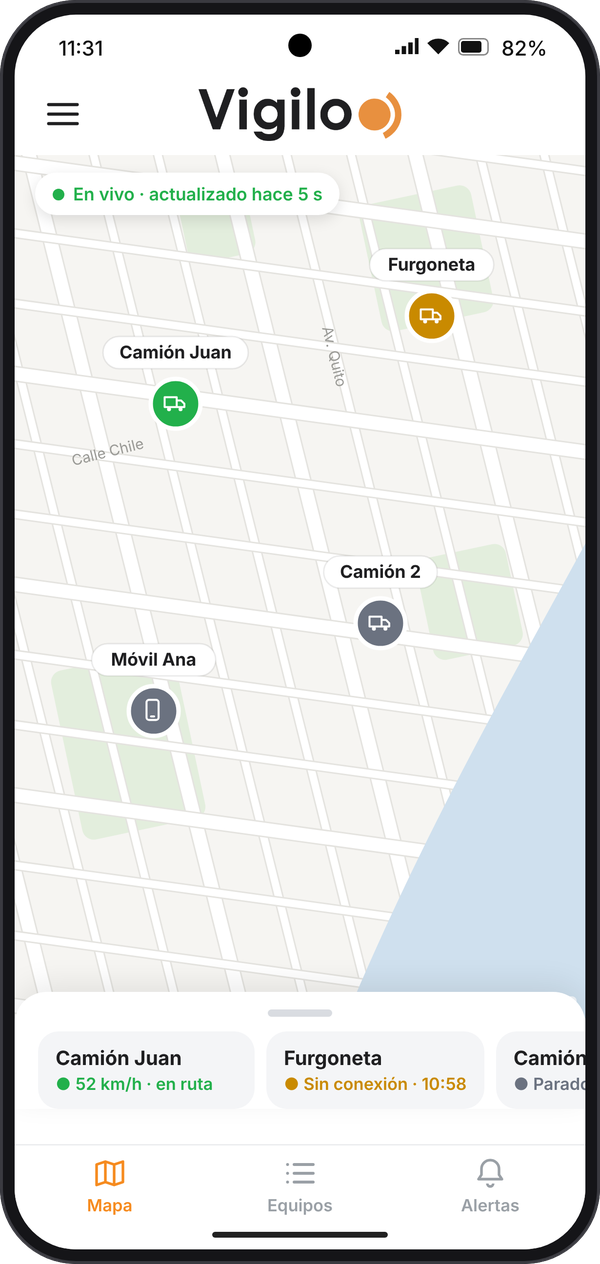
Real-time map
All your phones on one screen
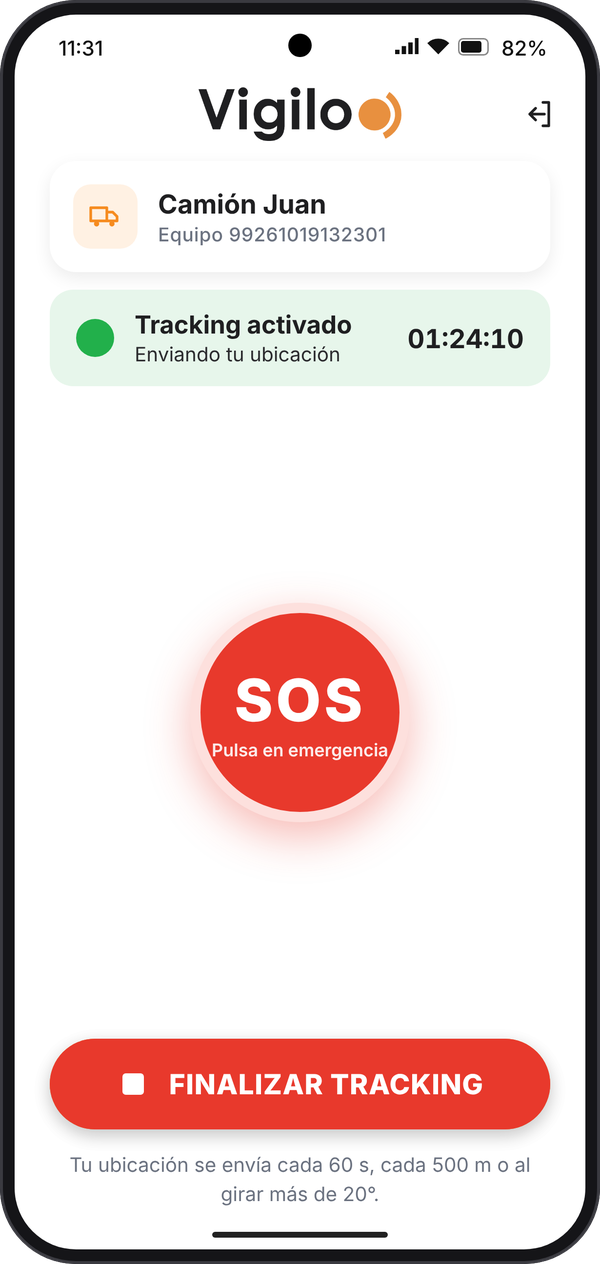
SOS button
The user just starts tracking and, if needed, presses SOS
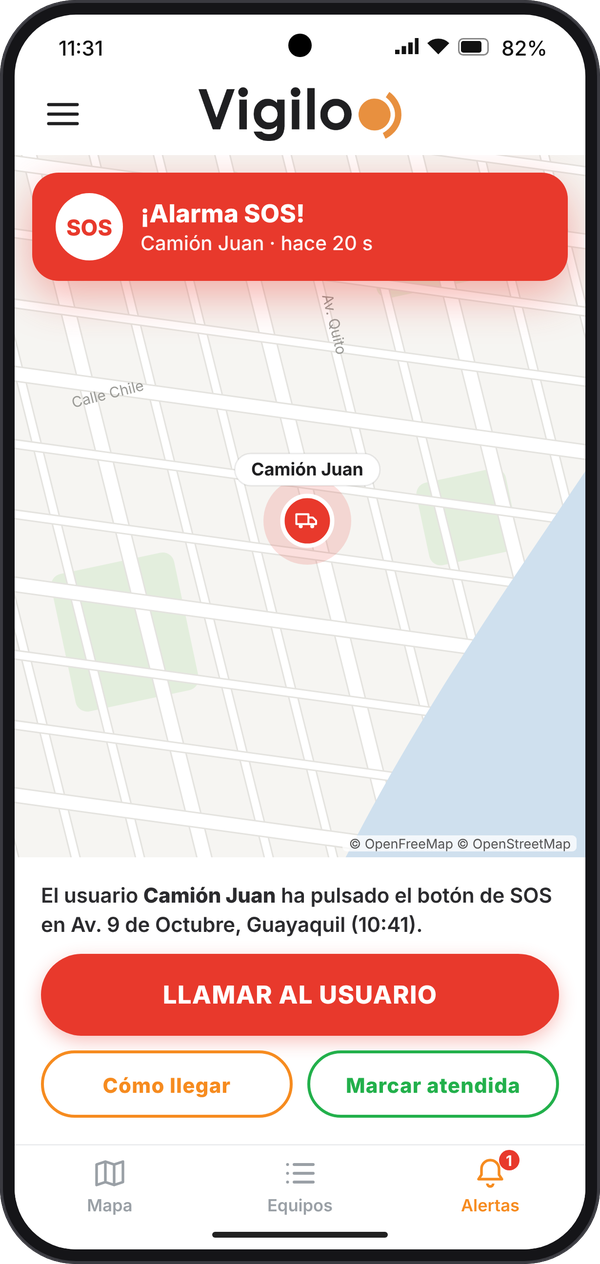
SOS alert
Call the user or open the route to get there
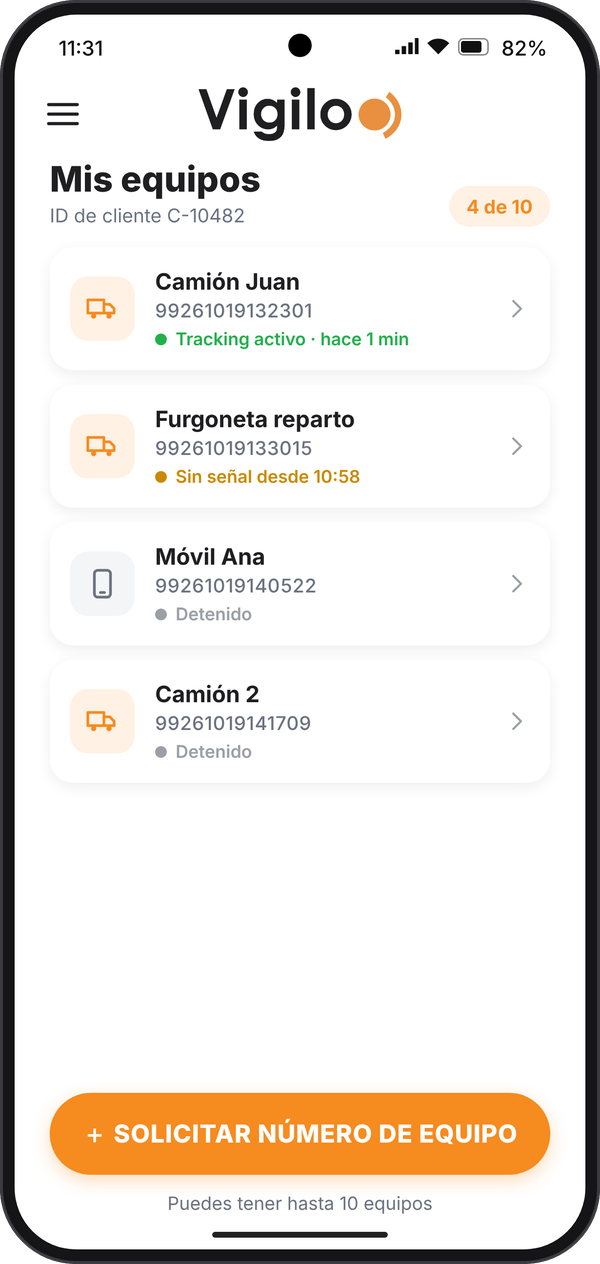
My devices
Up to 10 phones with name and status
Two profiles, one app
The account holder is in control; the person carrying the phone just presses a button.
- CUSTOMER
The account holder
For example, the business owner or a family member.
- Creates a free account.
- Adds up to 10 phones.
- Sees where each one is on the map.
- Receives the SOS alerts.
- DEVICE
The phone user
For example, a driver, a technician or a family member.
- Signs in with the details sent by the account holder.
- Taps START TRACKING.
- In an emergency, taps SOS.
How it works, in 5 steps
- The holder creates an accountFree, from the app.
- Creates the devicesEach phone gets a number.
- Sends the detailsBy WhatsApp, to the phone.
- The user startsTaps START TRACKING.
- The holder sees itOn the map, in real time.
Everything explained step by step
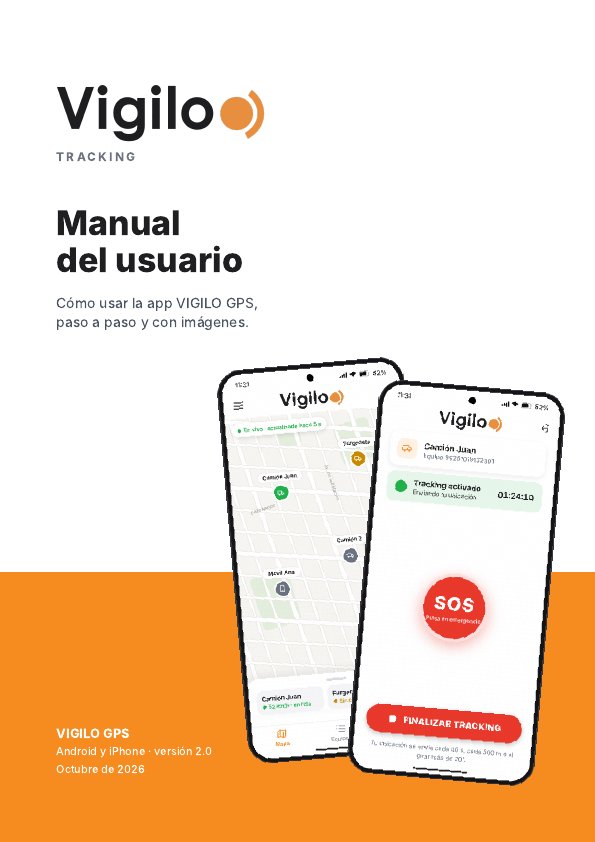
Read the manual online or download the PDF to keep it handy: account setup, devices, map, SOS alerts and troubleshooting.
PDF in Spanish · 11 pages · 2 MB
Frequently asked questions
How much does the APP tracker cost?
The account is free for the first 12 months. After that, a subscription may be required to keep using the service.
How many phones can I see?
Up to 10 phones per account. Each one gets its own device number.
Does it work with the screen locked?
Yes. When you start tracking, choose “Allow all the time” (Android) or “Always” (iPhone) for location access and, on Android, turn off battery optimisation for Vigilo.
What happens if the phone loses signal?
Positions and SOS alerts are stored on the phone and sent automatically when the signal returns.
Is the trip history stored?
No. For privacy, the app only shows the latest position of each phone.
Does the SOS button alert the police or emergency services?
No. The SOS alerts the account holder with the user’s location. In an emergency, always call 133 (police) or 131 (ambulance).
Activate your FREE account in 3 steps
- 1
Download the APP and sign up
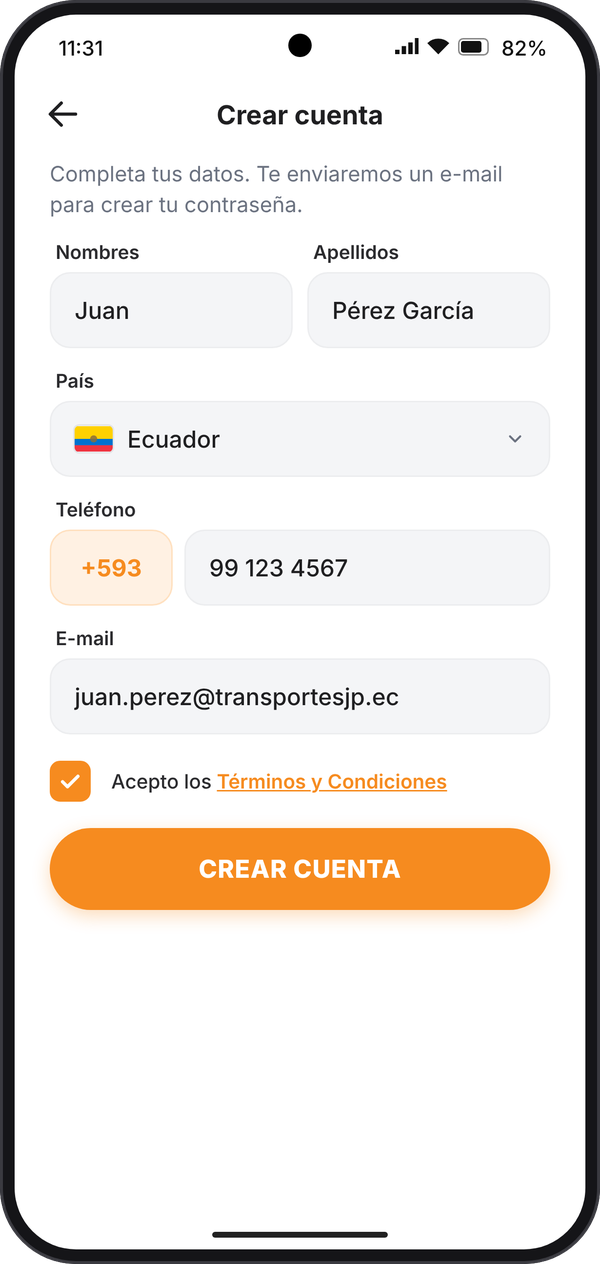
Name, country, phone and e-mail. We'll send you a link to create your password.
- 2
Create your devices
Give them a name and get a device number for each phone.
- 3
Start tracking
On each phone, sign in with your customer ID and device number and tap START TRACKING.
Free for the first 12 months. VIGILO GPS is not an emergency service: in an emergency, call 133 (police) or 131 (ambulance).