 Español
 English
 Português
- Home
- Transit buses
Fleet management for transit buses
Local and intercity routes: count every rider, keep fare revenue under control and see every bus in real time, with cameras and the Driver APP on one platform.
Everything you need, on one screen
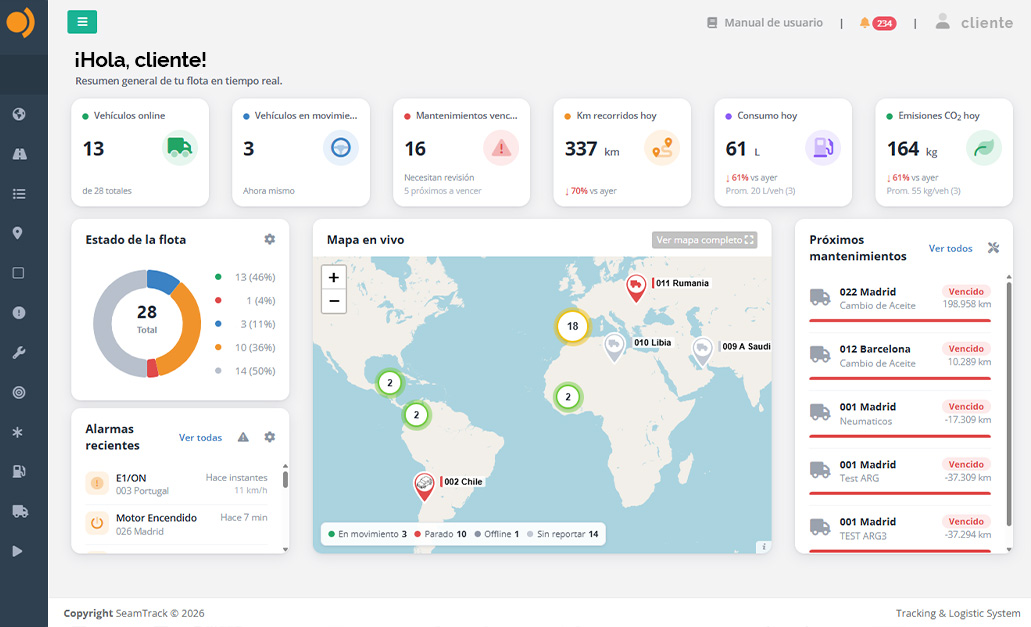
All your buses in real time
See every bus on the map, its current status and a summary of everything it did today.
- Location, speed and ignition status
- Instant on-screen alerts
- From your computer, tablet or phone
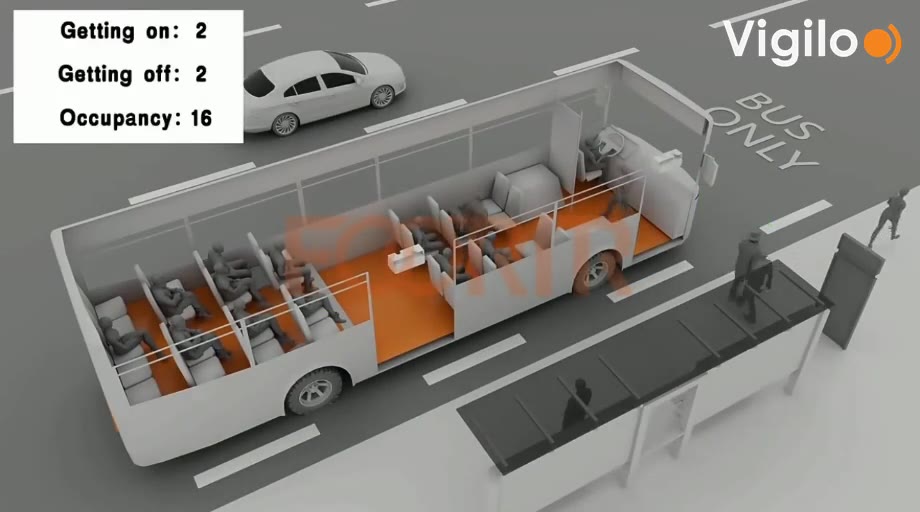
Riders by route and by stop
With the passenger counter, boardings and alightings at every stop reach the platform along with the bus GPS position.
- Boardings and alightings by door and stop
- Load on every bus
- Reports by route, time slot and day

Route and stop monitoring
Make sure every bus runs its route: stops, scheduled times and detours, in full detail.
- Routes by day or date range
- Stops and dwell time at each
- Geofences at yards, terminals and stops

The most complete reports
Activity by bus, driver or route in clear reports you can read in seconds.
- Daily, weekly and monthly reports
- Filter by bus, driver or time period
- Export to Excel and PDF
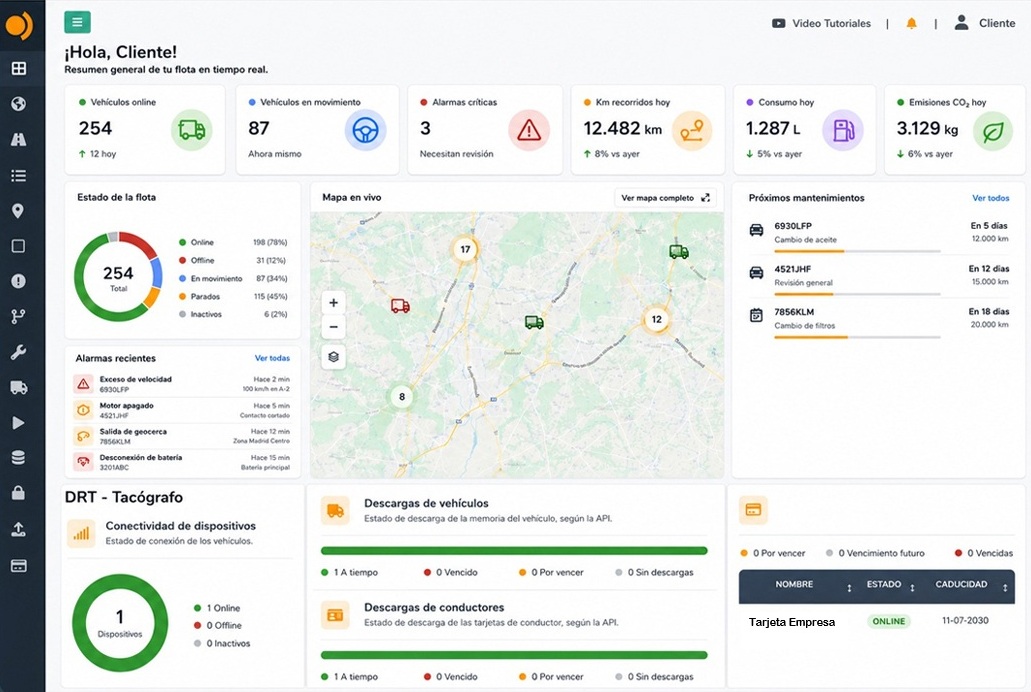
Fuel monitoring
Fuel use, tank level, fill-ups and abnormal drops for every bus, with CANBUS data.
- Actual fuel use by bus and route
- Fuel drop detection
- Bus-to-bus comparison
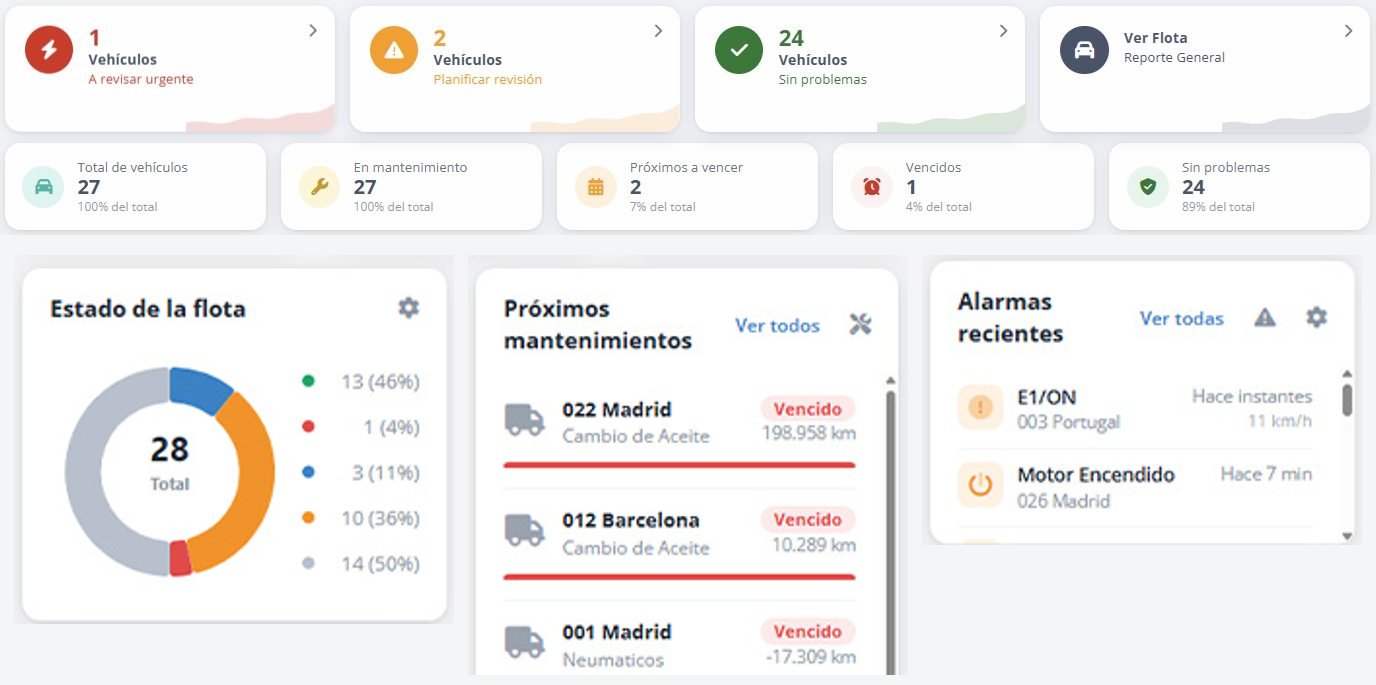
Maintenance, never missed
Maintenance schedules with alerts by mileage, engine hours or date for every bus.
- Alerts before each due date
- Service and inspection history
- Fewer breakdowns, fewer buses down
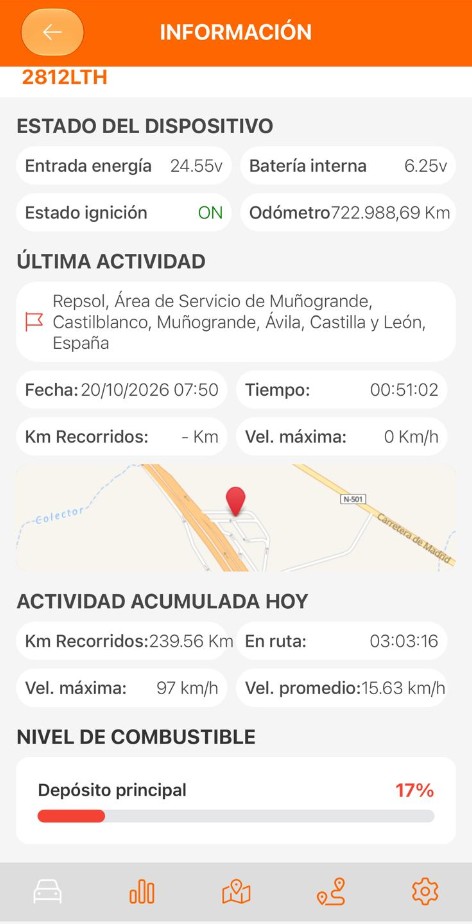
Your fleet on your phone
All your vehicle data in the Vigilo app for Android and iOS.
- Status of every vehicle
- Instant alerts
- Remote engine immobilizer
How Vigilo improves your fleet
Average figures from Vigilo customers. Results vary by fleet and use.
The most complete control over all your buses
All your fleet data in one dashboard: what is happening right now and what happened today, this week or this month.
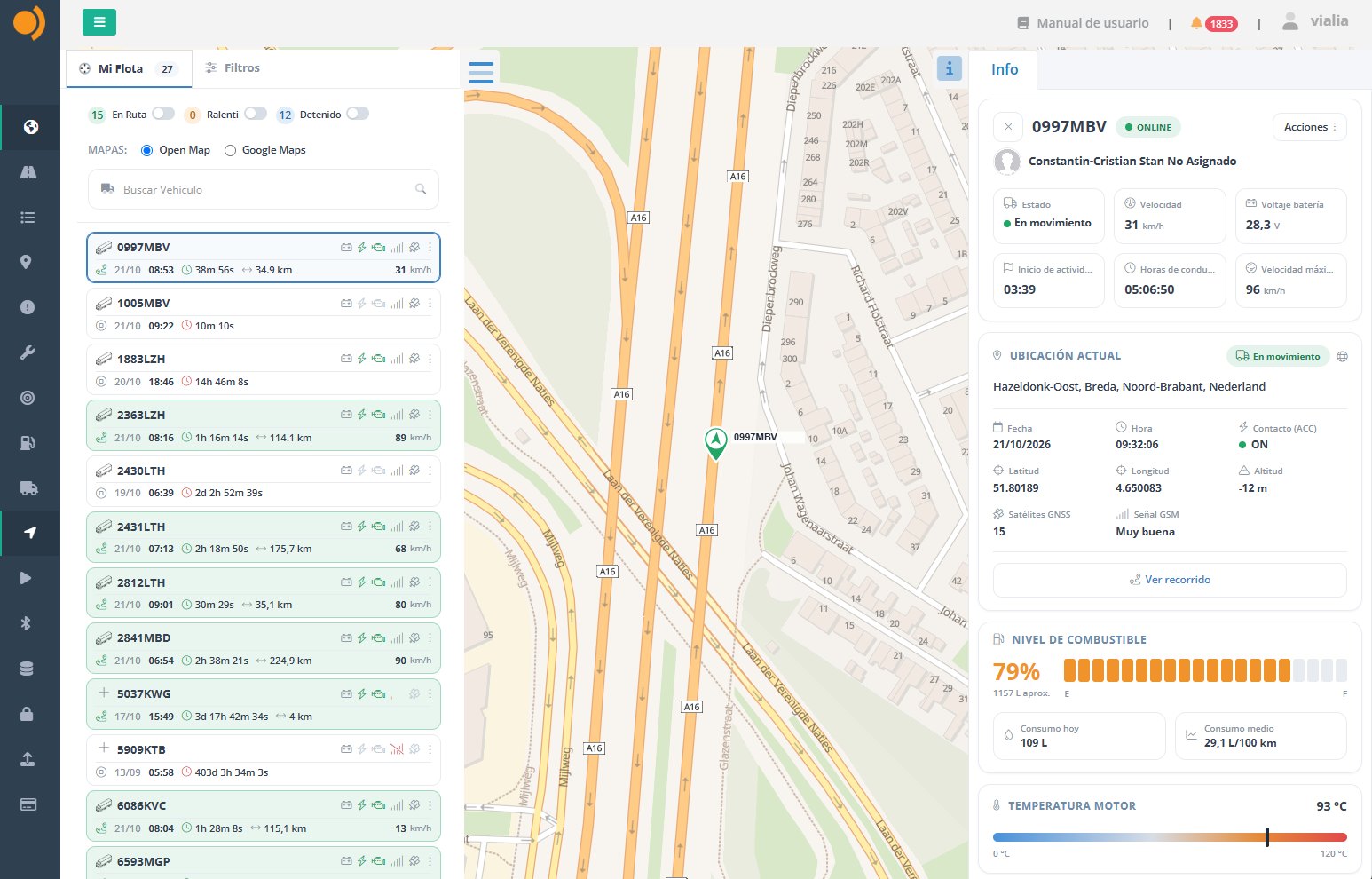
- Real-time trackingSee every vehicle on the map, with up-to-date information on location, status, speed, distance traveled and much more.
- Detailed trip reportsA log of every movement, including departure and arrival times, average and top speed, stops made and the duration of each stop.
- Trip historyView the routes driven by each vehicle on the map, with past dates, times and trips available to review.
- Driver ID and tachograph statusSee in real time which driver is behind the wheel of each vehicle, along with the available tachograph status information.
- Alerts and geofencesInstant alerts for speeding, zone entries and exits, stops and other events, on the platform and on your cell phone.
- Access from anywhereWeb platform and mobile app to monitor and manage your entire fleet 24 hours a day, 365 days a year.
Plus: tire pressure, geofences at terminals and stops, and maintenance schedules.
One sensor above each door. Zero effort for the driver.
The counter is fitted to the ceiling above each door. When the door opens it starts counting and, when it closes, it sends the result.
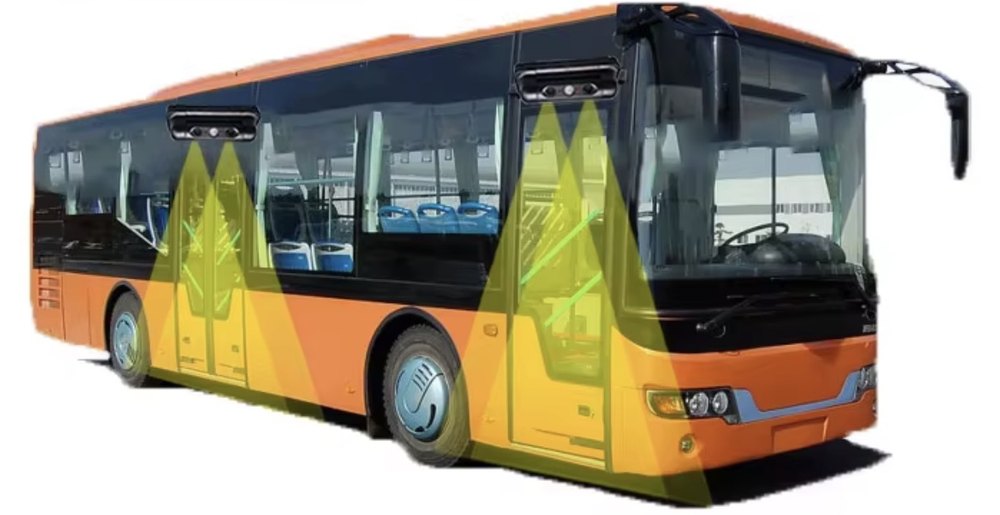 Rear doorFront door
The door opens
The counter receives the door-open signal and starts counting automatically.
It counts in 3D
The two cameras measure the height, volume and direction of each person: it knows whether they board or alight.
It sends the data
Boardings, alightings and occupancy reach the Vigilo platform with the stop, the time and the GPS position.
Set better frequencies on every route
Stop scheduling runs by guesswork. The counter shows the real demand on each route by hour, by stop and by day of the week, so you can put the buses where the passengers are.
- Reinforce peak hoursMore runs where the buses are full and people are left waiting at the stop.
- Trim off-peak hoursFewer empty runs: save fuel, wear and driver hours.
- Stops that really payFind the stops with the most boardings and adjust the route and its timetable.
Keep tighter control of your revenue
Every passenger who boards is recorded. Compare the passengers counted with the fares sold or validated in your fare collection system and spot instantly where money is being lost.
| Bus | Driver | Counted | Validated | Not validated | Evasion |
|---|---|---|---|---|---|
| Bus 104 | Driver A | 612 | 605 | 7 | 1.1% |
| Bus 117 | Driver B | 585 | 531 | 54 | 9.2% |
| Bus 122 | Driver C | 640 | 634 | 6 | 0.9% |
| Bus 130 | Driver D | 498 | 451 | 47 | 9.4% |
Illustrative example. Demonstration figures, not from a real customer.
- Detect fare evasionAlerts when the passengers counted do not match the fares validated.
- Compare driversRanking by bus, route and shift. Objective data, no arguments.
- Deterrent effectWhen staff know that every passenger is counted, losses go down.
If a bus carries 600 passengers a day and only 5% do not pay, that is 30 unpaid fares a day: about 900 fares a month per bus. Multiply it by your fleet and by the price of the fare.
Your bus maintenance, up to date and never missed
Vigilo keeps track of the mileage, engine hours and dates of every bus and alerts you before each service. At a glance you see which vehicles need service now, which to schedule and which are in good shape.

Fleet status on the Vigilo platform: at a glance, which vehicles need service now, which to schedule and which are in good shape.
- Alerts by miles, hours or dateEvery schedule runs on the actual mileage and engine hours from the tracker, not on estimates or spreadsheets.
- Nothing goes overdueOil, filters, tires, brakes, state inspection: alerts before each due date.
- Full history for every busEvery job is logged with its date, mileage and cost: useful for warranties, audits and when you sell the vehicle.
- Fewer road callsA part replaced on time won’t leave the bus stranded in the middle of a run.
- Scheduled shop visitsService is planned when it disrupts the least, not when the vehicle breaks down.
- Safer passengersBrakes, tires and steering checked on time: safer for drivers and passengers.
Where you save by keeping maintenance up to date
- Cheaper repairsScheduled service costs less than an emergency repair: parts at regular prices, no rush fees and no knock-on damage to the engine or transmission.
- No tow trucks or roadside callsNo towing and no sending a mechanic out to wherever the vehicle broke down.
- No missed runsNo spare buses, no canceled or subcontracted runs and no passengers waiting because of a breakdown.
- Less downtimeDrivers aren’t left waiting around and the shop works by appointment, with no overtime.
- Less fuelClean filters, fresh oil and proper tire pressure help keep fuel use under control.
- Vehicles that last longerLess wear on the engine, brakes and transmission, and a full service record that protects resale value.
- No fines or out-of-service ordersInspections on time: no fines and no vehicles sidelined by expired paperwork.
In the savings calculator on this page, the “Mileage and maintenance” line estimates 10 % fewer miles and related costs: in the example of 10 “Transport” vehicles, about 15,573,600 CLP$ a year. On top of that, every breakdown avoided.
Your fleet in the palm of your hand
Real-time status of every vehicle, instant alerts, trip history and remote engine immobilization whenever you need it.
- Real-time status
- Instant alerts
- Trips
- Remote engine immobilizer
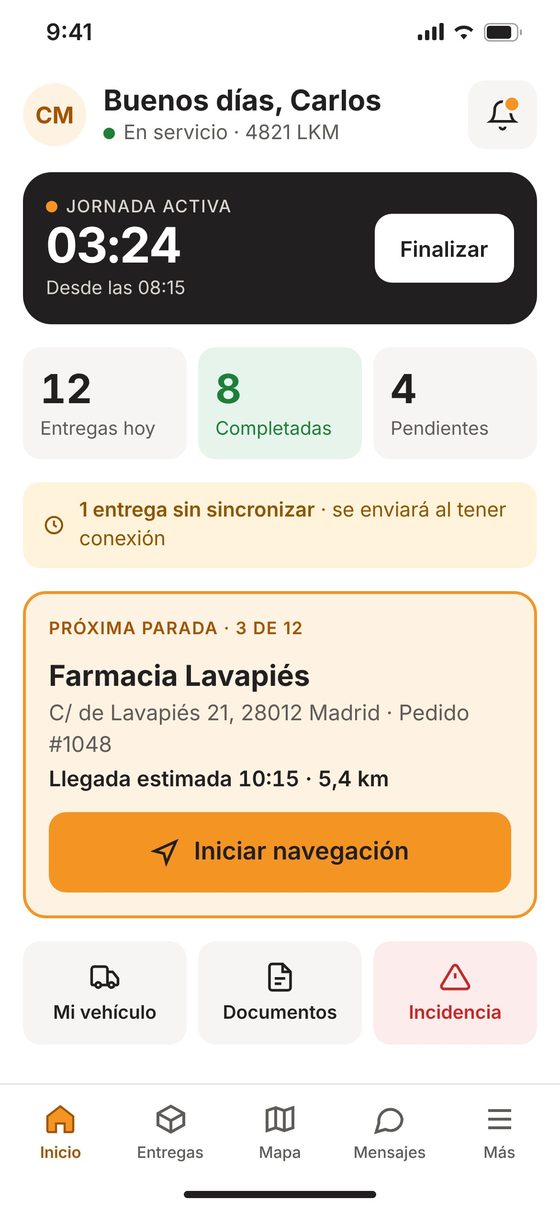
The driver's workday, connected to your fleet
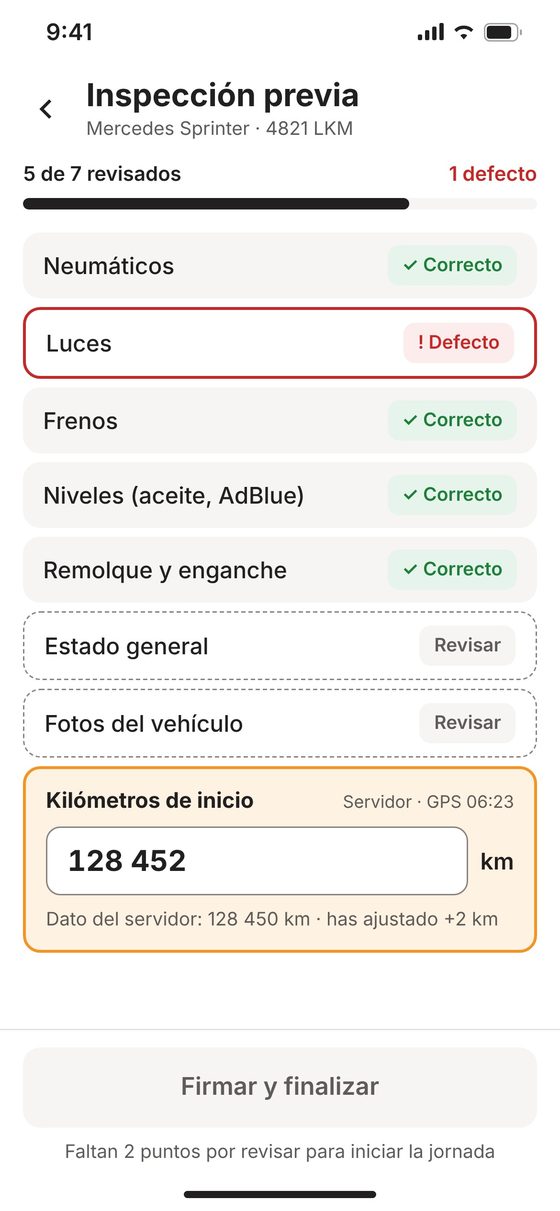
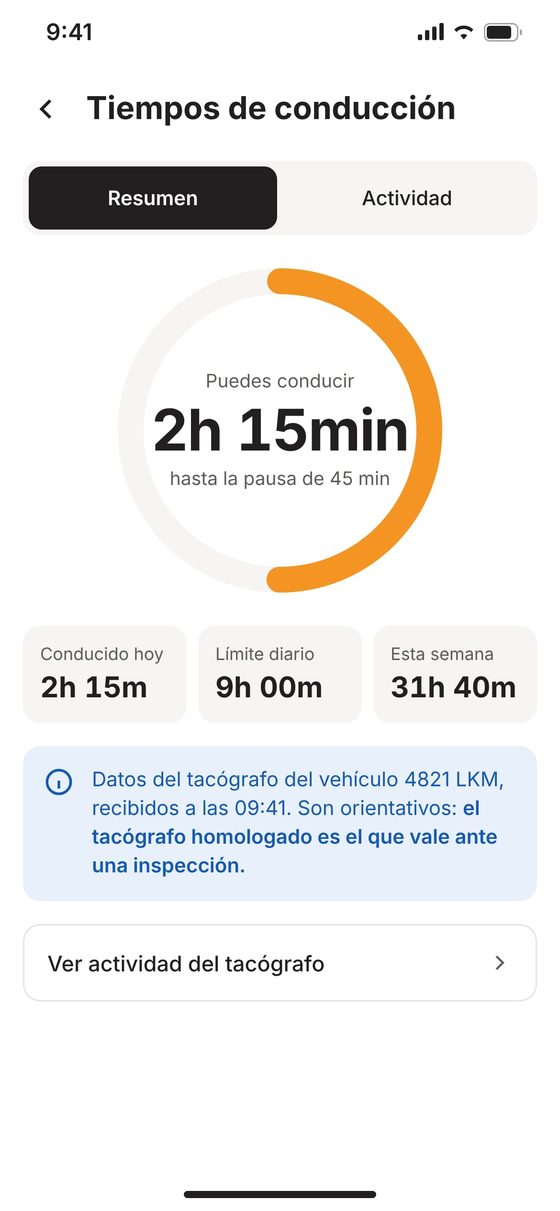
Start of shift, vehicle inspection, hours of service, documents and incidents on the driver's cell phone, with data from the GPS tracker already installed in your vehicles.
- Assigned vehicle and verified mileageThe driver sees the vehicle assigned by the dispatcher and confirms the mileage from the tracker.
- Paperless pre-trip inspectionPre-trip checklist with defects, notes and photos before the shift starts.
- Hours and documents at handTime until next break, daily and weekly driving, and documents with their expiration dates.
- Incidents and messages with dispatchAlerts with photos and location, quick replies and an SOS button.
More control for your buses
Passenger counting, engine data, AI-powered video and the Driver APP, all integrated with your Vigilo tracker.
Passenger counter
Boardings and alightings at every stop with 3D vision, to set service frequency and control fare revenue.
See the passenger counter →
CAN bus and fuel data
Fuel consumption, tank level, RPM, engine temperature, mileage and detection of abnormal fuel drops.
Discover CAN bus →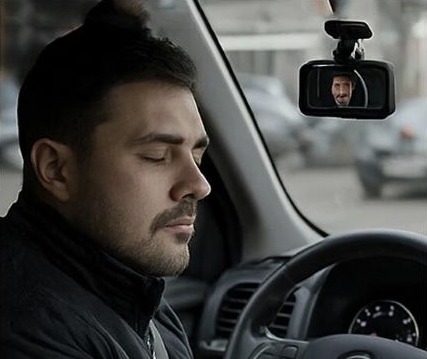
Online cameras
See the road and the cab live and get video alerts for collisions, fatigue or distraction.
See online cameras →Driver APP
The driver's workday on their cell phone: inspections, hours, documents and incidents, with GPS data.
See Driver APP →Calculate what the passenger counter and accessories save you
Unpaid fares, manual ride checks, daily calls and paperwork, and incident handling without video. Adjust the values to your fleet.
Passenger counter
Driver APP
Online cameras
Your staff
Where you save (US$ per month)
Ballpark estimate based on 21 workdays a month per driver and 26 service days a month per bus. The default values are an example, not real customer data. Fuel, mileage and overtime savings from GPS are calculated in the calculator below.
Engine data, turned into savings
Connect your vehicles to Vigilo and turn ECU data into useful insights to cut costs and improve driving.
- Fuel and consumption
Instant and total fuel use, tank level, fill-ups and abnormal drops. - Engine data
RPM, temperature, engine hours and mileage. - Driving analysis
Idling, hard acceleration and braking, alongside GPS trips.
Frequently asked questions about GPS tracking and fleet management
What are the benefits of GPS tracking for transit buses?
You always know where every bus is, check routes and schedule adherence, track fuel use and maintenance, and get the passenger counter, cameras and the Driver APP on the same Vigilo platform.
How does the passenger counter work?
A 3D sensor mounted above each door counts boardings and alightings and sends the data to the platform with the stop, time and GPS position. So you get ridership by route, stop and time of day.
How many counters does each bus need?
One for every door riders use to board or exit. We will help you find the best mounting spot on each bus.
Does it help me control fare revenue?
Yes. You can compare counted riders with the fares sold or validated in your fare collection system and spot right away where the numbers do not add up.
Can I see which stops each bus served and when?
Yes. Route history shows the stops, times and dwell time at each one on the map. You can also create your own points of interest and geofences at stops, terminals and yards.
How does Vigilo alert me about maintenance?
You create a schedule for each vehicle with alerts by mileage, engine hours or date. Vigilo uses the actual mileage and hours from the tracker and alerts you on the platform before each due date, with a full service history.
How much will I save?
This page has two calculators: one for GPS savings (fuel, mileage and overtime) and one for the passenger counter and accessories. Both use your own fleet data.
Request a Vigilo demo
We will help you define the right solution for your fleet.